





Design implication:
Design implication:
Design implication:
BACKSTAGE SYSTEM
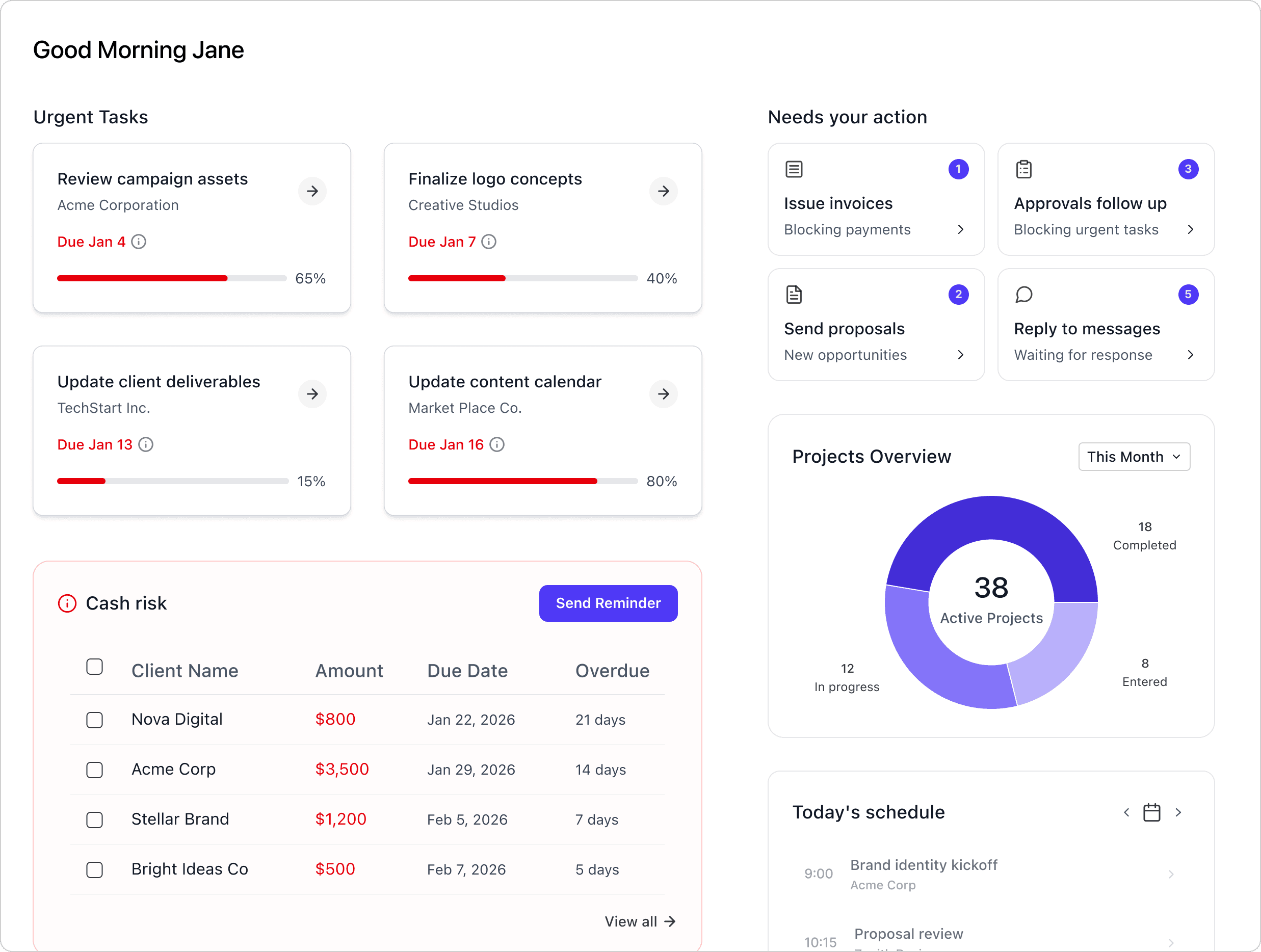
dashboard
Urgent tasks
Task on hold
Cash risk
Projects Overview
Schedule
Today overview
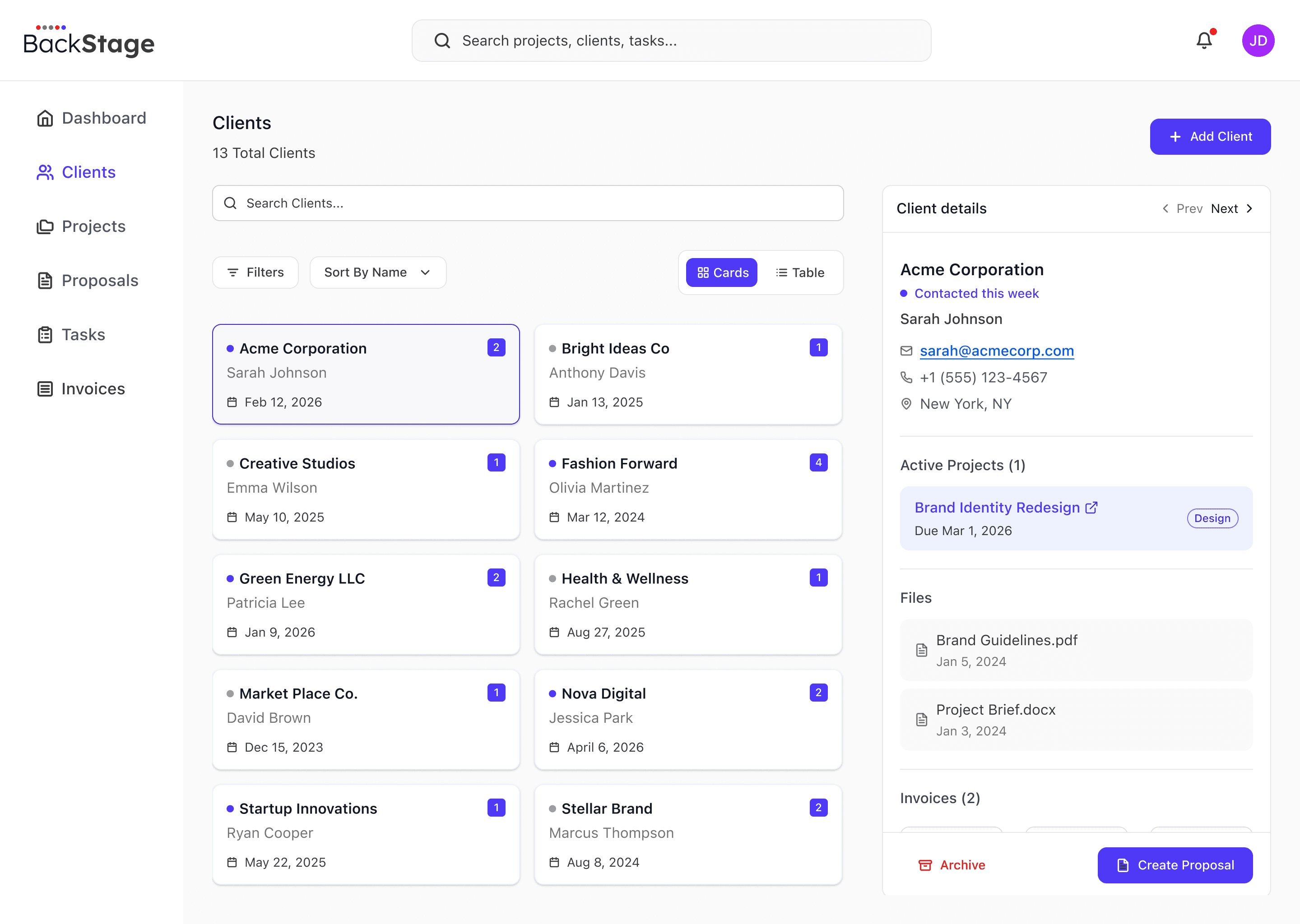
CLIENTS
Client list / table
Client details
Linked projects
Linked files
Linked invoices
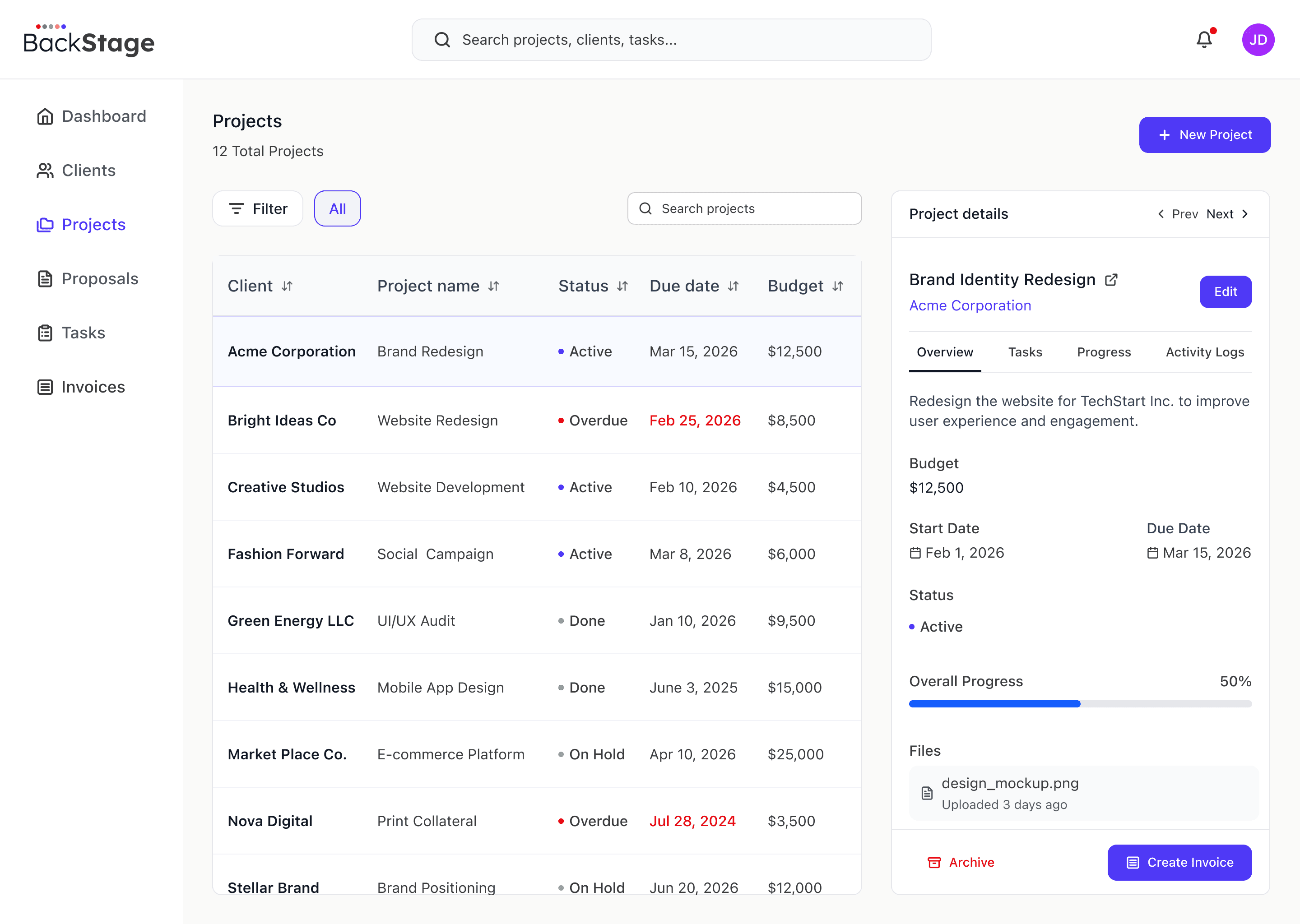
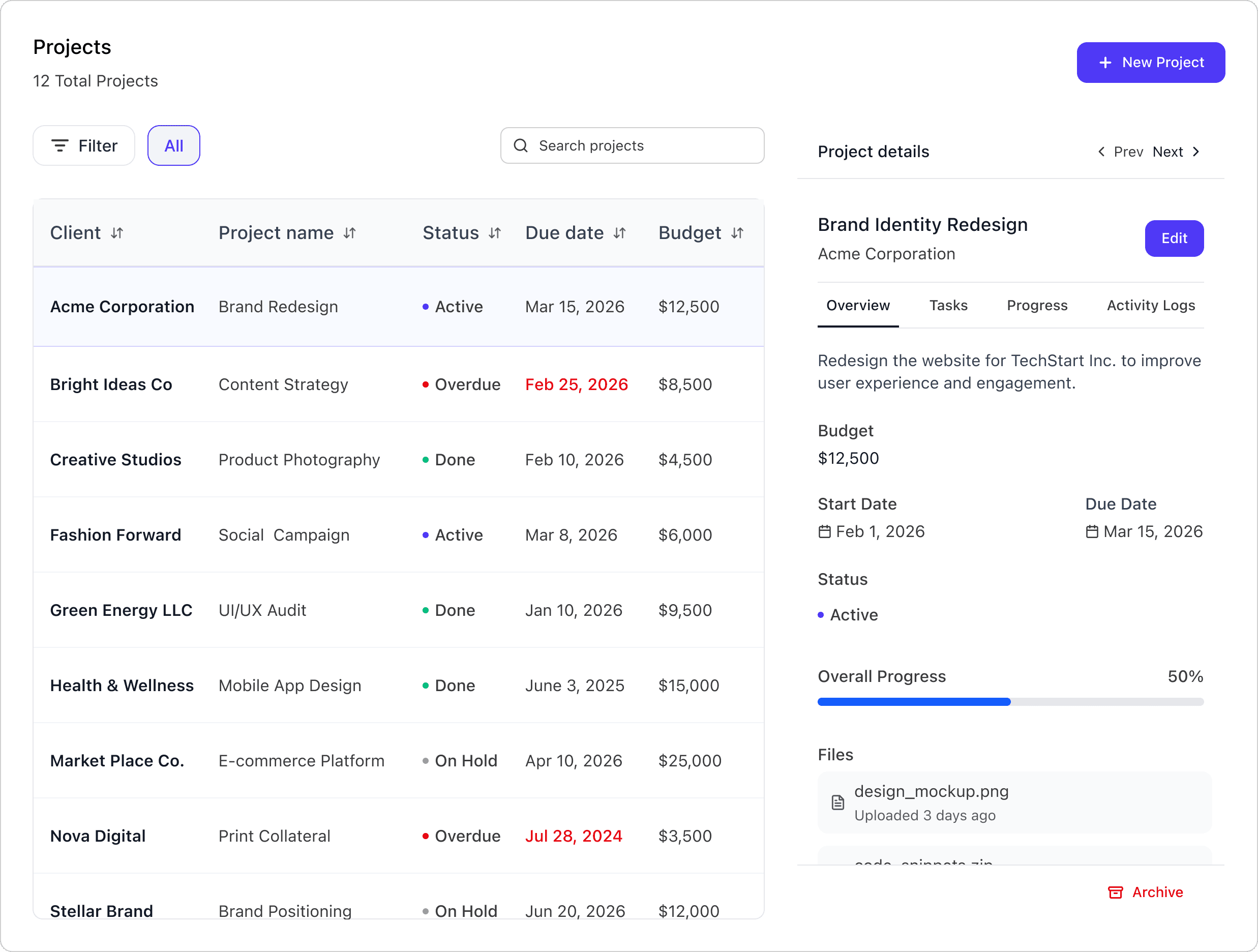
PROJECTS
Projects table
Project details
Create Project
Linked files
Linked invoices
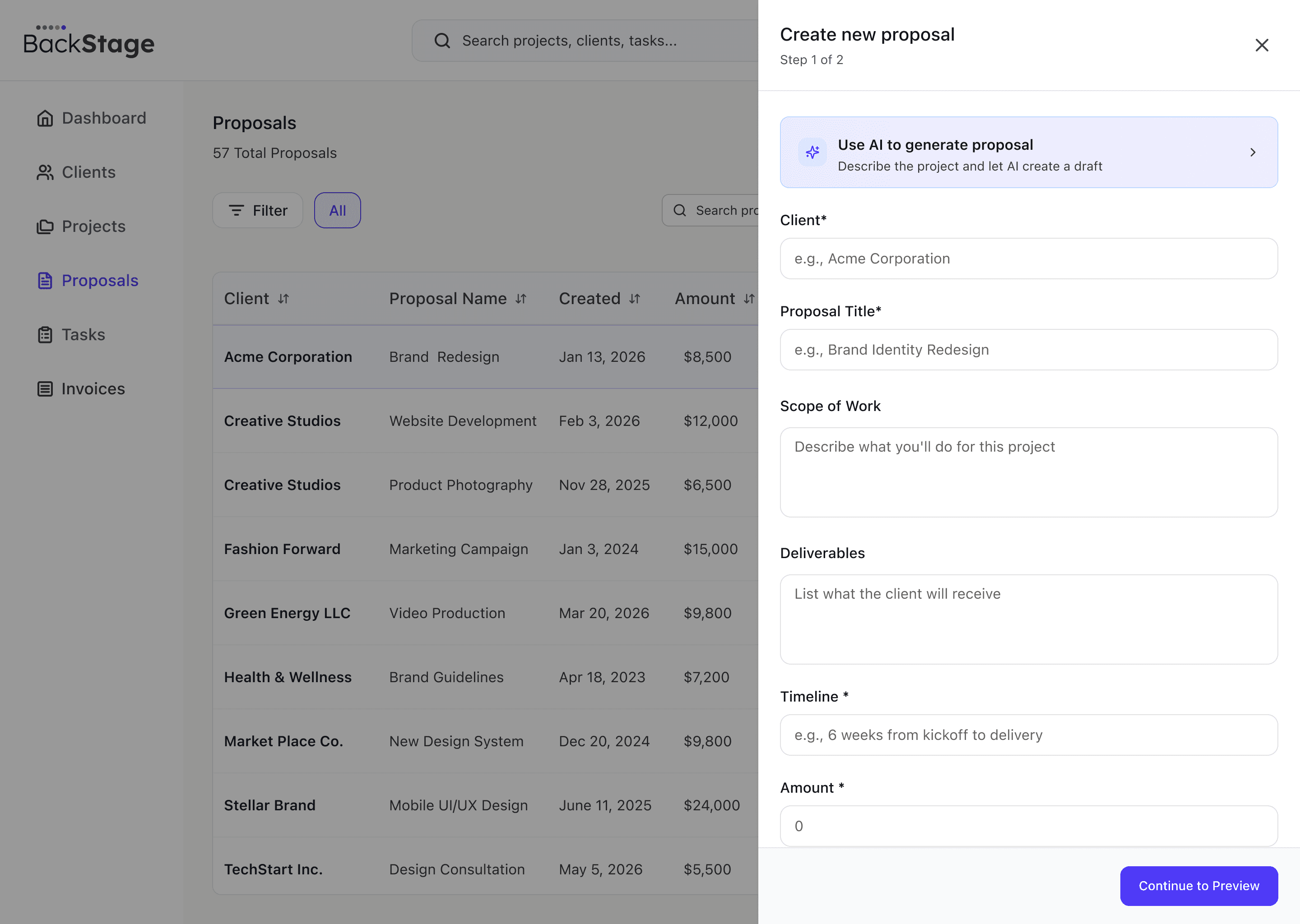
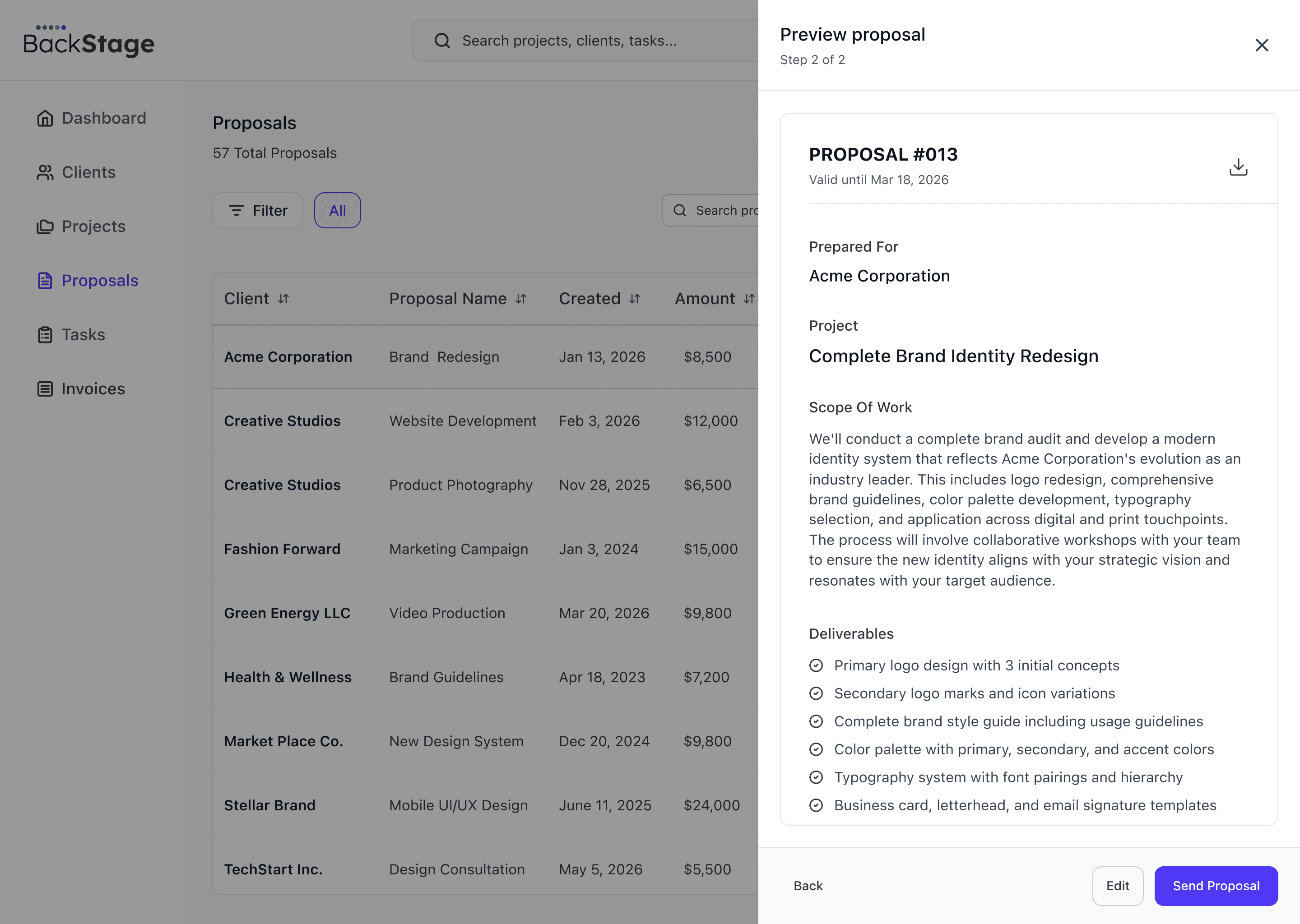
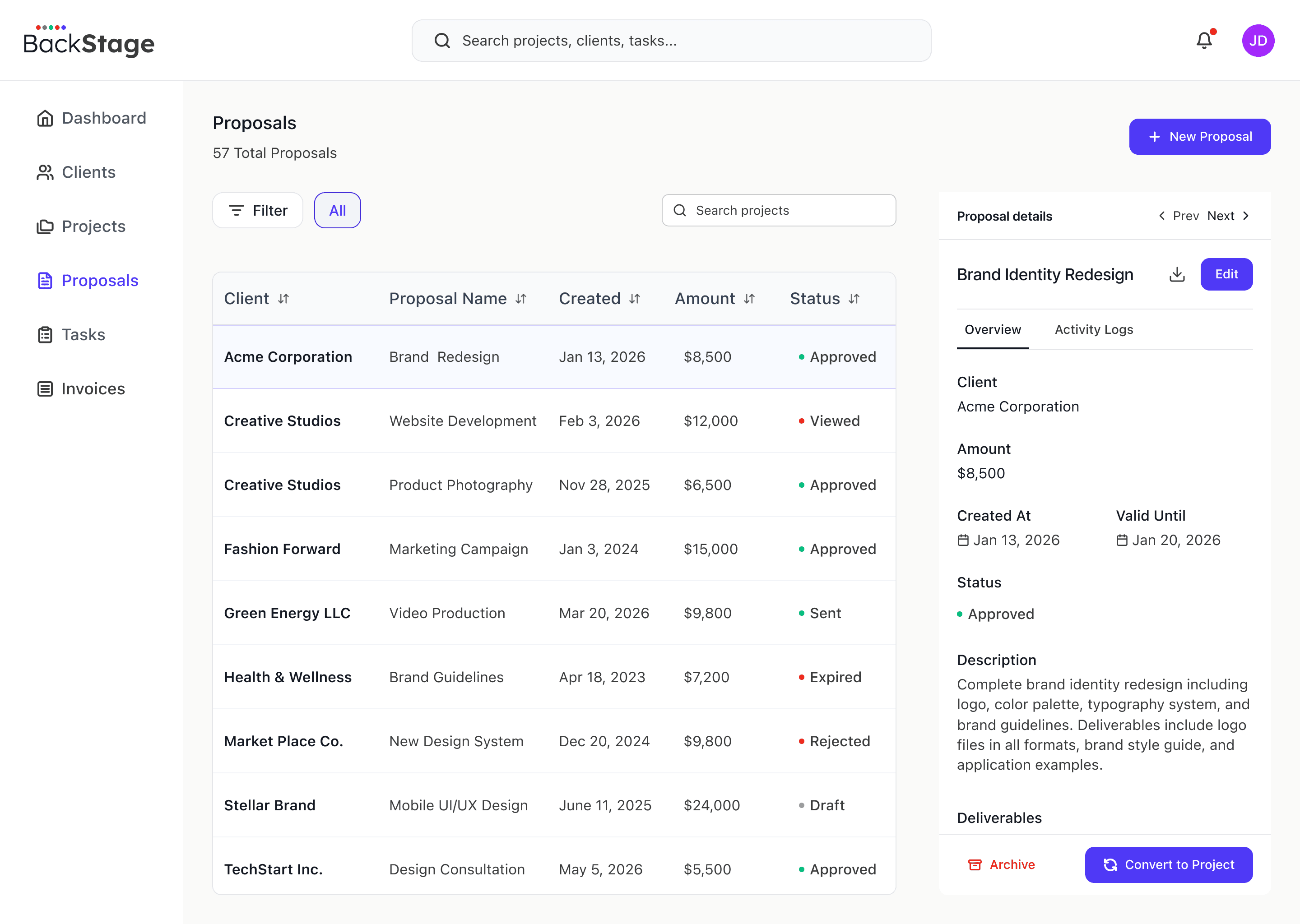
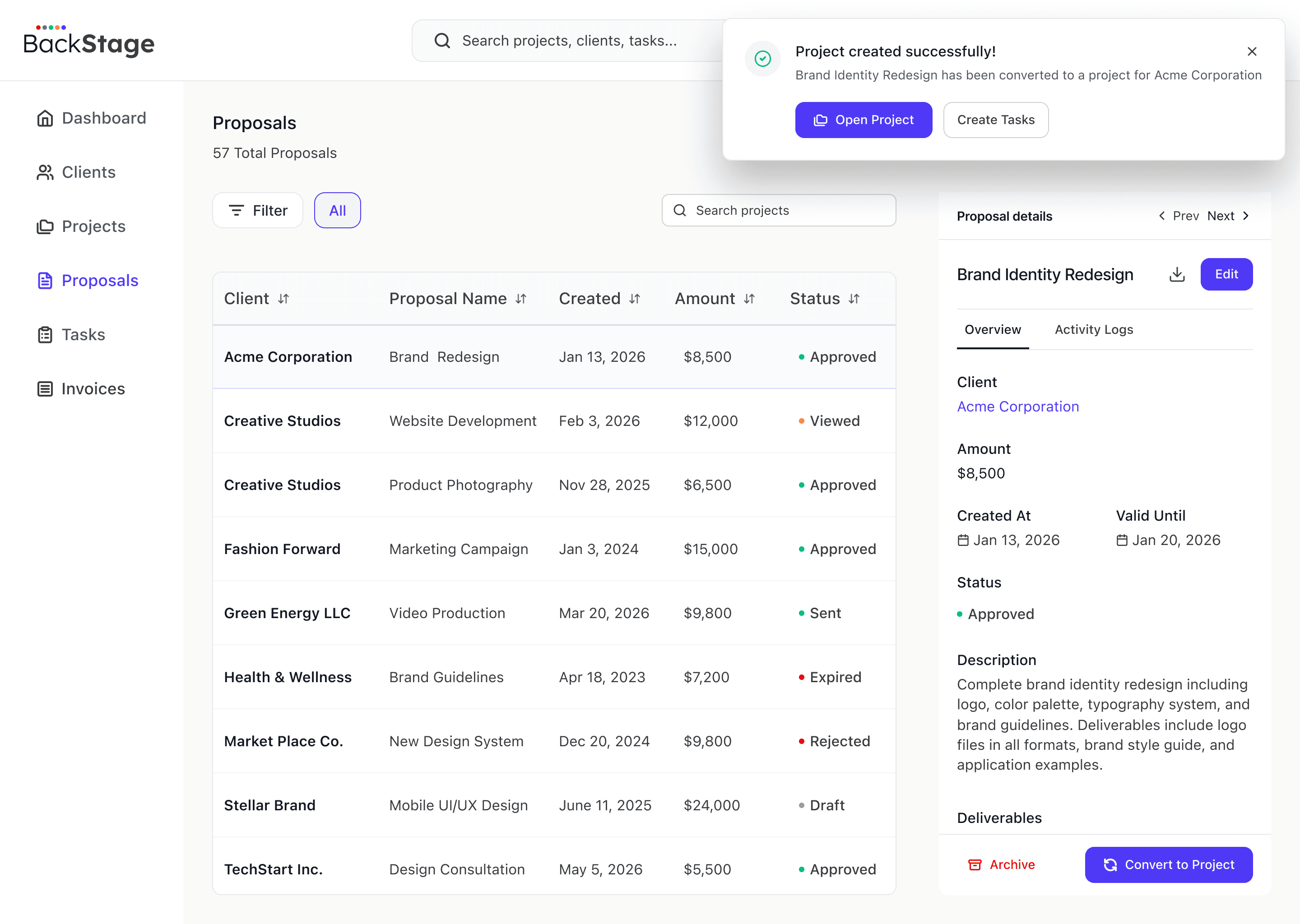
proposals
Proposals table
Proposal details
Create proposal
Ai Proposal
Convert to project
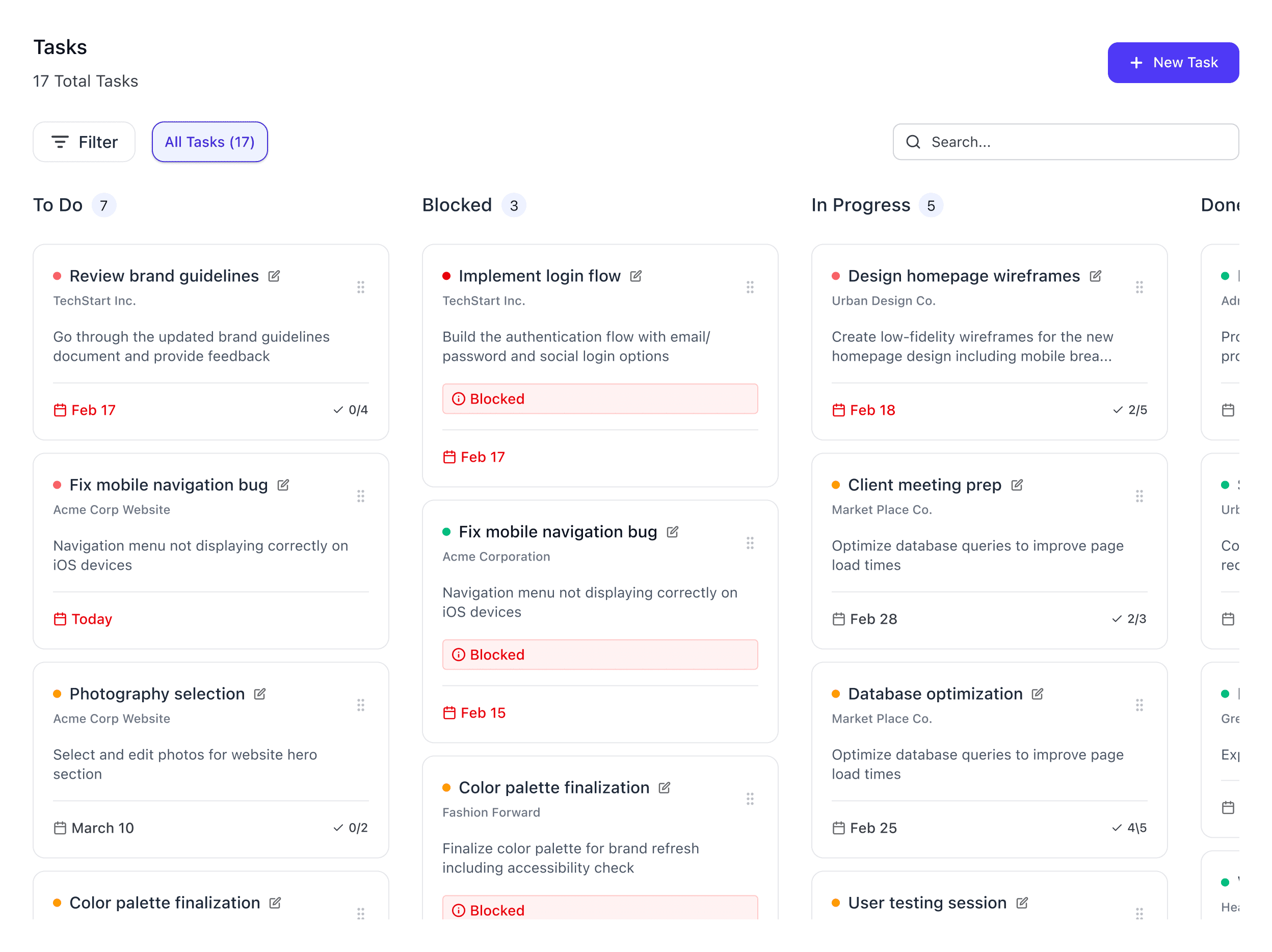
TASKS
Board view
Task details
Status + priority
Dependencies
Add task
invoices
Invoices table
Invoice details
Payment tracking
Linked client
Linked project

The Backstage logo is a clean, product-first wordmark for a professional B2B system.
The colored dots hint at the platform’s status-driven language (Active, Pending, Overdue, etc.).
Used sparingly to keep the UI calm and data-focused:
Small in the top nav / sidebar
Full logo on login/entry screens
A subtle mark (or dots) in empty states
#4F46E5
Primary
#4338CA
#EEF2FF
#FFFFFF
Card
#FAFAF9
Background
#F5F5F4
Muted
Success
Paid / Done
Warning
Background
Typography
Primary Typeface
SF Pro
Type Scale
H1
20/28
H2
18/25.2
H3
16/22.4
H4 Med
16/22.4
Body Main
16/22.4
Body Secondary
14/19.6
Labels
12/18
Buttons
14/21
Hierarchy in Practice
Project Dashboard
Recent Activity
Track all updates across clients, projects, and proposals in one unified timeline view.
Last updated 2 hours ago
System Label
Status Badges
Active
Sent
Approved
Paid
Done
Overdue
Rejected
Expired
Unpaid
To do
Partially Paid
Viewed
Inactive
Draft
On Hold
Icon System
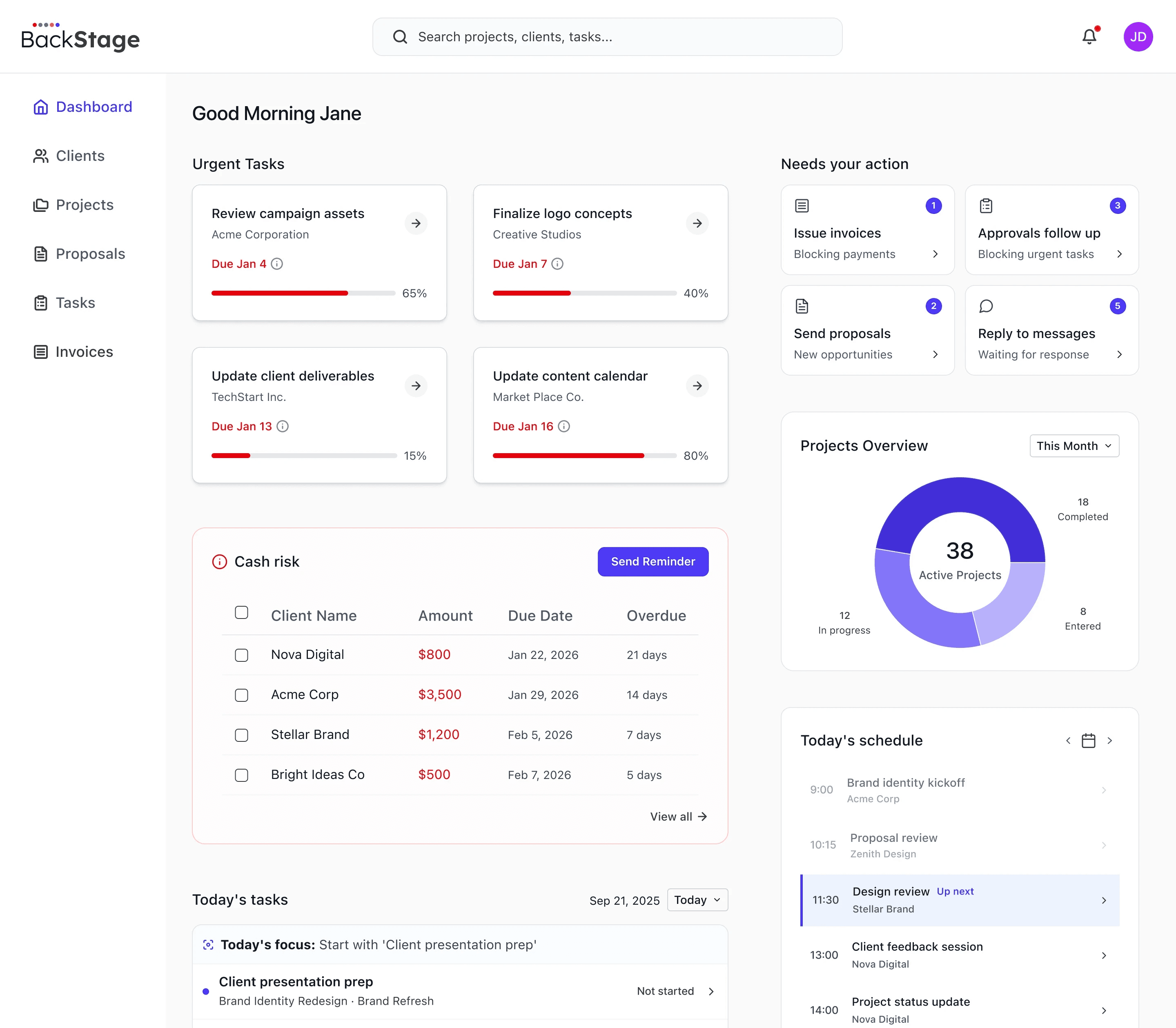
Priorities at a Glance
Urgent tasks, deadlines, and risk signals are surfaced immediately.
Cash Risk
Track overdue invoices and prevent payment delays.
Quick Actions
Start work faster with in-context shortcuts across modules.
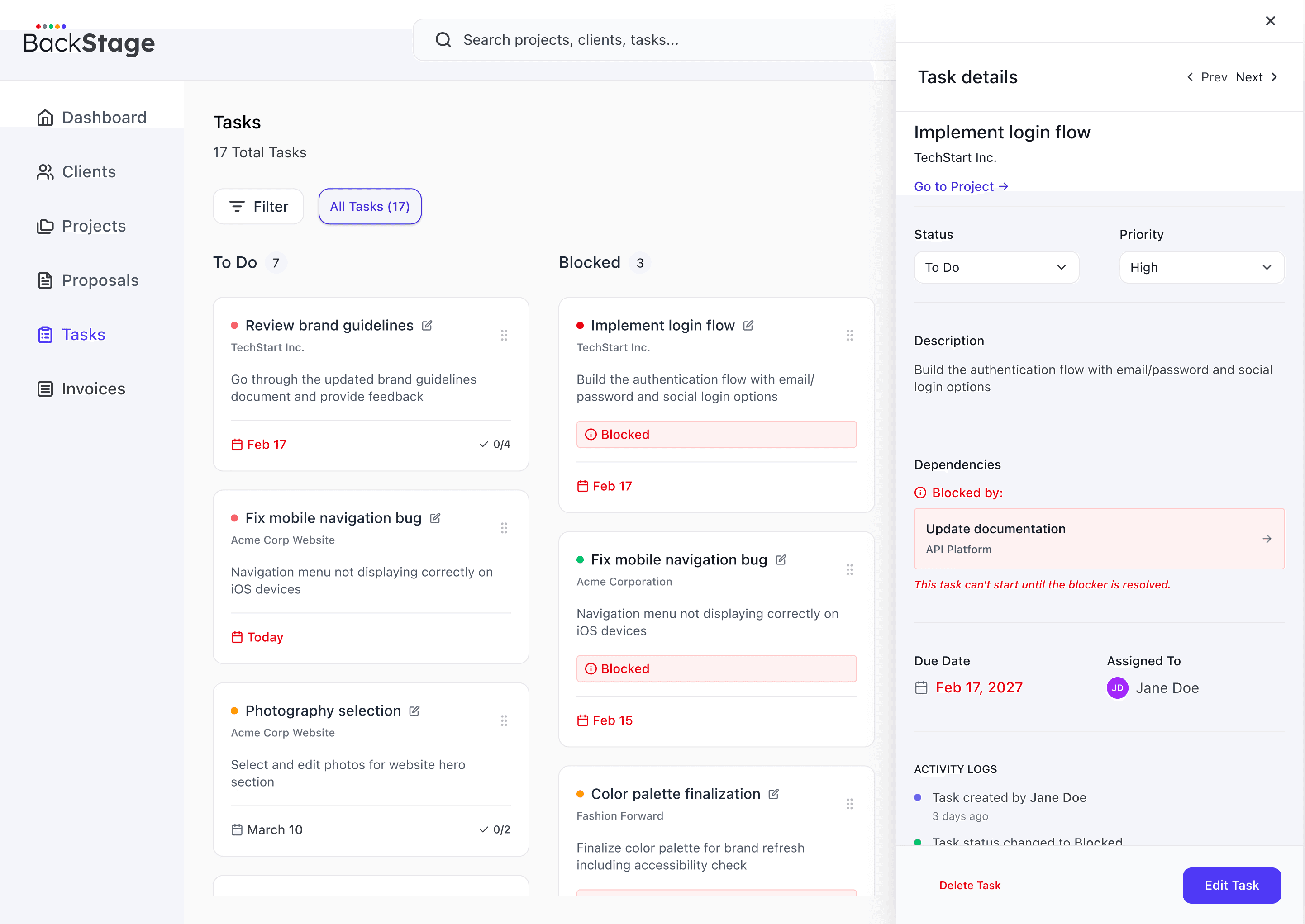
Workflow Stages
Move tasks across clear columns (To Do, Blocked, In Progress, Done) to track progress instantly.
Dependency Clarity
See what’s blocking progress and jump directly to the blocker to unblock work faster.
In-Context Updates
Edit key fields (status, priority, owner, and due date) directly from the task panel without switching screens.
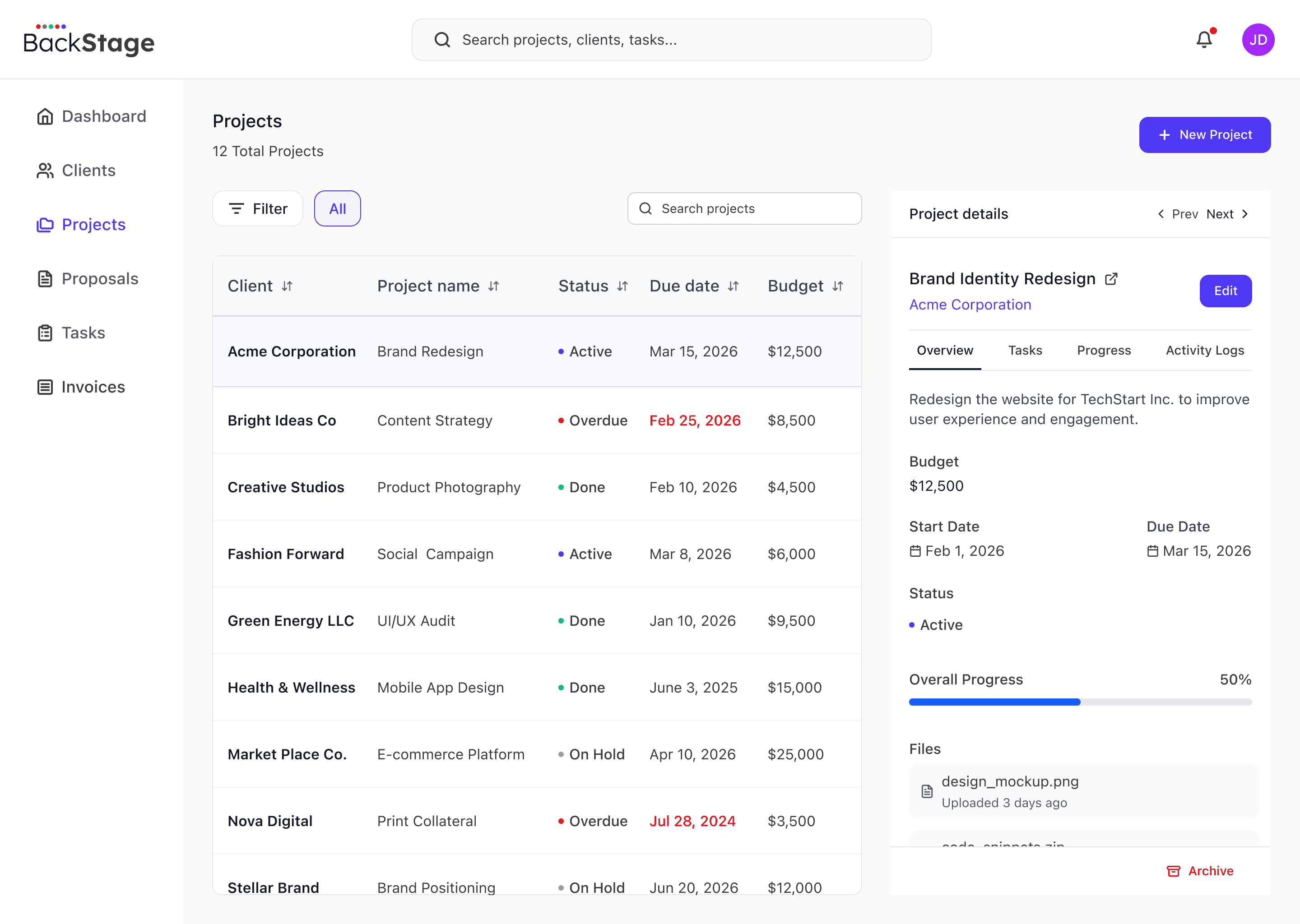
List + Details Pattern
Scan projects and take action without jumping between screens.
Cross-Module Linking
Projects connect to tasks, invoices, and client context.
Scannable Structure
Filters, chips, and statuses support fast decisions in dense tables.